
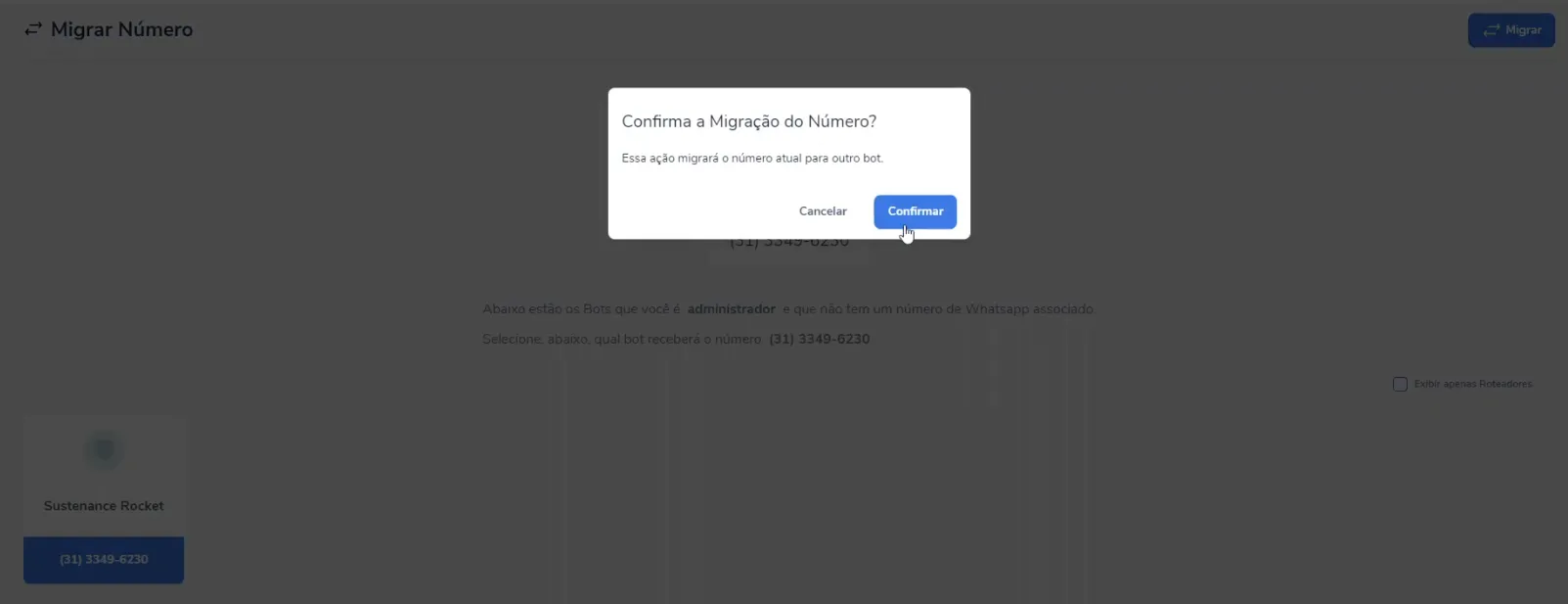
Migrate WhatsApp number screenshot 1

Customers can migrate their WhatsApp number between the smart contacts they administer within the contract itself. If they have a bot with an activated whatsapp channel and want to transfer it to a router, all they have to do is install the extension on the bot where whatsapp is currently activated, select the destination smart contact and carry out the migration.

Similar extensions

Close Multiple Tickets

Close Multiple Tickets

Blip

Efficiently conclude customer service in bulk

Free
2.3K+
Create a ticket

Create a ticket

Blip

Initiate direct and proactive contact with your customers

Free
1.5K+
Contact manager

Contact manager

Wiv / White Wall

Manage, block and edit contacts and access the conversation history in Blip Desk

Free
800+
Queue Assistant

Queue Assistant

Blip

Ensure a balanced ticket distribution among customer service agents

Free
800+
ChatGPT

ChatGPT

Wiv / White Wall

Generate conversational, more human responses with ChatGPT's AI inside your chatbot flow

Free trial Popular
700+
Blip Desk: Agent name in the message

Blip Desk: Agent name in the message

Wiv / White Wall

Automatically add the agent's name to the messages sent to the customer

Free trial
700+

Migrate WhatsApp number

Free